How To Use DIY Funeral Program Templates at The Funeral Program Site

A complete family-friendly guide to designing, editing, and printing your own funeral program templates with ease
Planning a funeral involves many decisions, and one meaningful component of the service is the funeral program. DIY funeral program templates offer families a practical way to personalize and organize the service details without paying for custom design services. At The Funeral Program Site, we believe that planning a respectful and clear funeral program can be easier when you understand what to include and how to structure it.
A funeral program typically serves as both a guide to the order of service and a keepsake for those attending. It can be simple or detailed based on the preferences of the family and the nature of the service. Throughout this article, we’ll walk you through how to create your own funeral program, what content to consider, layout tips, and printing guidance. We’ll also introduce you to DIY resources and templates that can help you get started quickly, such as funeral program templates and ready-to-use layouts at funeral program templates.
Why Use a Template?
A DIY funeral program template provides a reliable layout so you don’t have to design a program from scratch. Templates are pre-formatted for common sizes and folds, including bifold, trifold, and booklet styles. They save time, reduce stress, and help you focus on the most meaningful content. Templates also help maintain readability so those attending can easily understand the order of events, names, and tributes throughout the service. Free and customizable templates are offered on many sites including community pages and sample collections like Funeral Program Site Hub and tribute pages such as Funeral Site Tributes.
Core Elements of a Funeral Program
Before you begin editing a template, it’s important to know what information you will include. Most funeral programs contain a combination of practical details and personal elements. Below is a list of recommended sections most families consider:
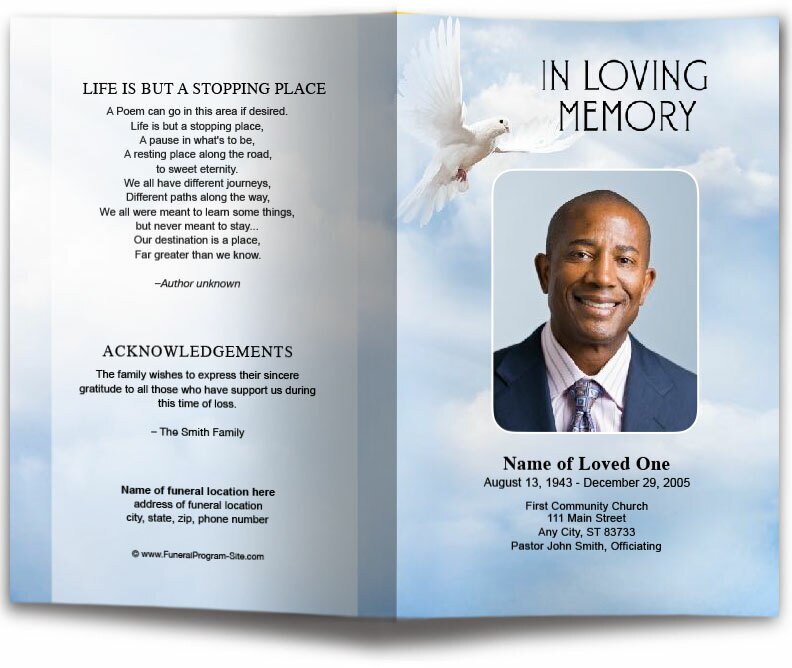
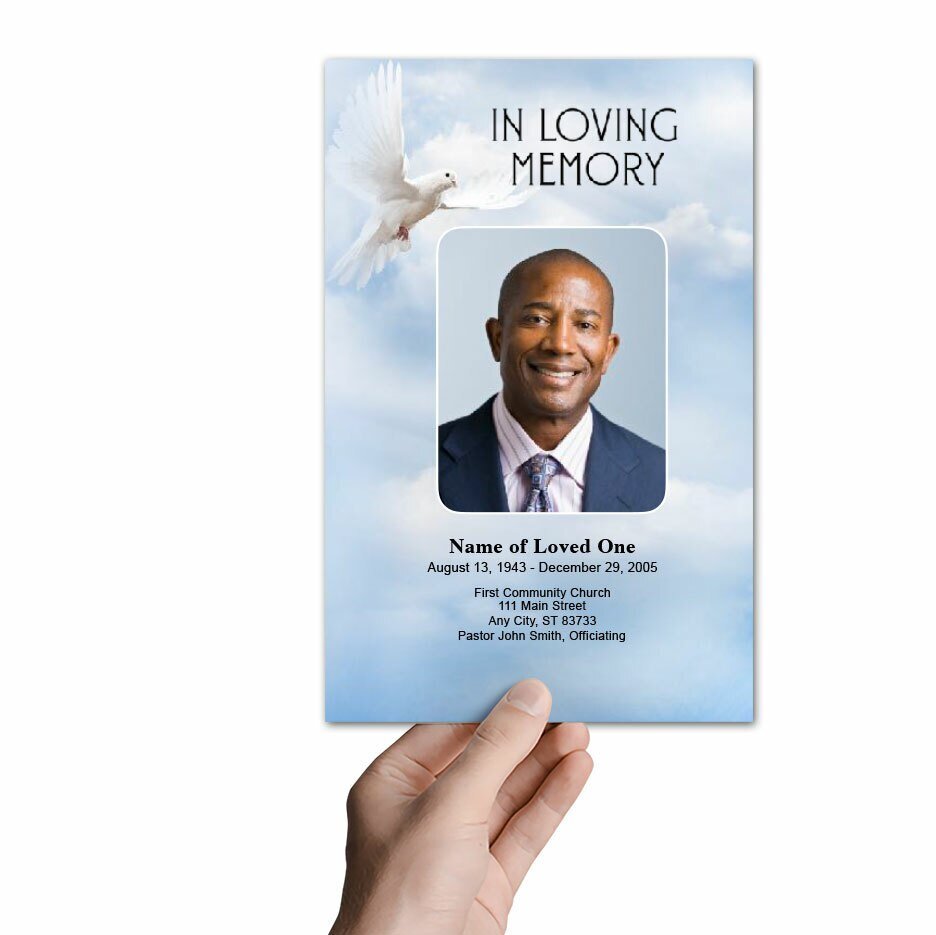
- Title and Cover Photo: The program title often reflects the sentiment of the service (e.g., “In Loving Memory of [Name]”). A clear and respectful photo of the deceased on the cover sets the tone.
- Full Name and Dates: List the full name of the individual along with birth and death dates to honor their life’s journey. Typical funeral programs emphasize this front and center so guests immediately recognize whom the service commemorates.
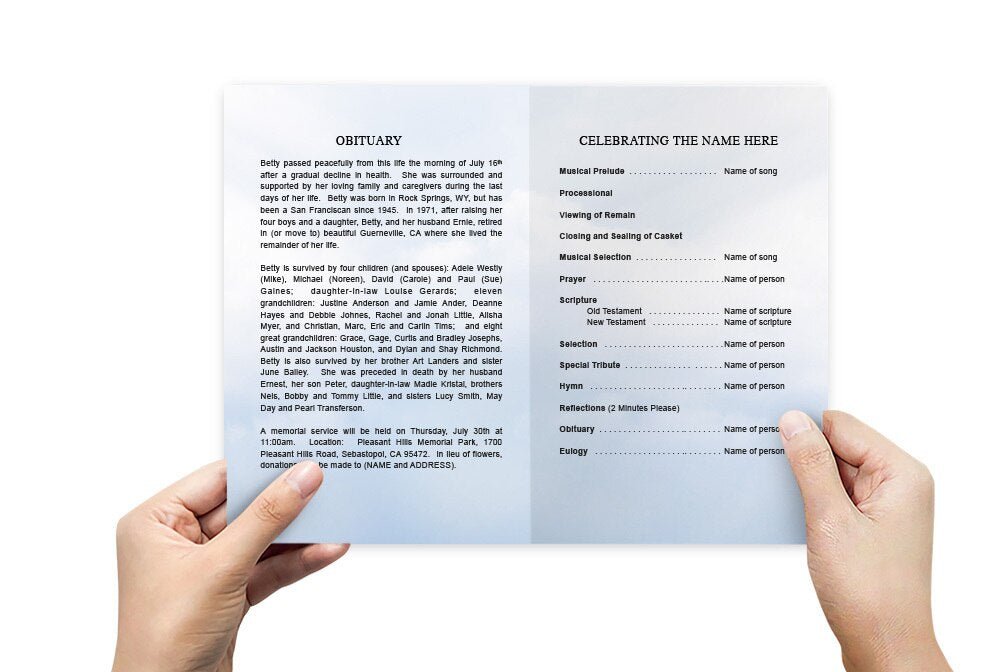
- Order of Service: A list of events scheduled during the service — including opening prayer, readings, musical selections, eulogy, and closing remarks — helps guests follow along.
- Obituary or Biography: A concise written overview of the deceased’s life highlights accomplishments, interests, and uplifts the memory of the individual.
- Readings, Scriptures, and Prayers: Incorporating favorite readings or spiritual passages offers comfort and personalization. Some programs include the text of these readings.
- Acknowledgments and Messages: Short messages of thanks to attendees, clergy, or family support can close out the program respectfully.
Step-by-Step DIY Creation Process
Whether you are using standard software like Microsoft Word or an online editor, the process for creating funeral program templates involves a few consistent steps:
1. Gather Information First
Before you touch a template, collect all necessary details including full names, dates, service location, officiant, readings, tributes, song titles, and any special passages. Gathering this information upfront makes it easier to fill in the template without interruptions.
2. Choose the Right Format
Funeral programs come in different formats — the most common being bifold (one sheet, folded in half), trifold (single sheet folded into three panels), and booklet (multiple pages). Your choice should reflect the amount of content you want to include and how tangible you want the program to feel
3. Customize the Template
Once you have selected a template from resources like the ones linked above, open it in your editing tool and replace placeholder text with your own details. Consider adding meaningful quotes, scriptures, or personal photos that reflect the personality of the deceased. Online platforms or software like Word allow quick adjustments to fonts and spacing.
4. Proofread Carefully
Reviewing your work helps catch typos, incorrect dates, or layout inconsistencies. Ask a family member or close friend to double-check content to ensure accuracy before printing.
5. Print and Test
Print a single test copy to confirm that content folds correctly and everything appears as expected. Folded programs can have surprises in panel order, so this test helps ensure the final runs go smoothly without wasted paper or time.
Comparison Table: Common Funeral Program Formats
| Format | Best For | Description | When to Use |
|---|---|---|---|
| Bifold | Most services | A single sheet folded in half | Standard content; simplest layout |
| Trifold | Shorter programs | Three panels; narrow and focused | Minimal text; focused event list |
| Booklet | Detailed services | Multiple pages stapled or folded | Extended tributes, photos, and poems |
| Digital only | Remote guests | PDF or online shared file | Email, QR codes, and electronic distribution |
Design Tips for Personalization
Design choices — such as fonts, colors, and photo placement — play a role in how meaningful the final program feels. Keep the overall layout clean and respectful. For example, many families choose simple, legible fonts and neutral color palettes, while some incorporate favorite flowers or themes symbolic of the deceased’s interests.
Photos should be carefully selected and cropped to focus on the individual’s face or a moment that reflects their personality. Avoid overly busy backgrounds or too many photos that can distract from the text and readability.
Printing vs. Digital Distribution
After completing your funeral program template, you will need to decide how to distribute it. Printed programs can be handed out at the service as keepsakes, while digital versions (PDF) can be emailed to family and friends who cannot attend. Both options can complement each other and ensure wider access to service details.
Digital versions also allow easier last-minute changes without the cost of reprinting. Sharing a funeral program online can be done through memorial sites, email, or social media groups created for the service. :contentReference[oaicite:13]{index=13}
Final Thoughts
Creating a DIY funeral program using templates can be a fulfilling way to honor a loved one’s memory. While it takes care and attention to detail, templates significantly reduce the burden of layout and formatting. By using trusted resources such as those listed above and following the steps in this guide, families can design a respectful, personalized program that both guides and comforts attendees.
At The Funeral Program Site, we are committed to helping families navigate this process with dignity and clarity. Explore the various ways to use and customize funeral program templates, and take comfort in creating a tribute that truly reflects the life of the person you are memorializing.