Funeral Program Templates: A Practical Guide to Creating a Beautiful Program Quickly

The Funeral Program Site helps families create meaningful keepsakes without starting from scratch. When time is short and details are changing, funeral program templates offer a simple, guided path to a polished program you can print or share digitally.
Why funeral program templates make planning easier
Families often underestimate how many decisions come together at the last minute: service order, readings, names, dates, photo selection, and final wording from multiple relatives. Funeral program templates reduce that pressure by giving you a ready-made layout that already matches standard print sizes and folds. Instead of guessing margins, font spacing, and photo placement, you start with a structure that is designed to work. That means fewer formatting surprises, fewer “why did this print weird?” moments, and more time to focus on what matters.
A template also helps you communicate clearly with others. If multiple people need to review content, a consistent layout makes it easier to proofread and confirm details. When the program is a keepsake, the presentation matters—templates help ensure the design feels intentional, not rushed. Whether you want something traditional, floral, faith-based, modern, or minimal, a good template saves time while still letting you personalize the tribute.
What to include in a funeral program
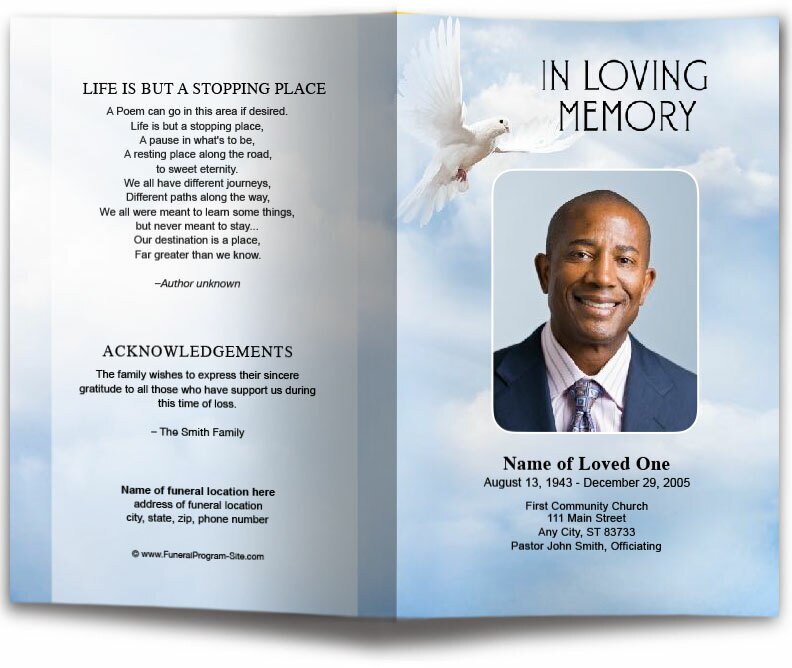
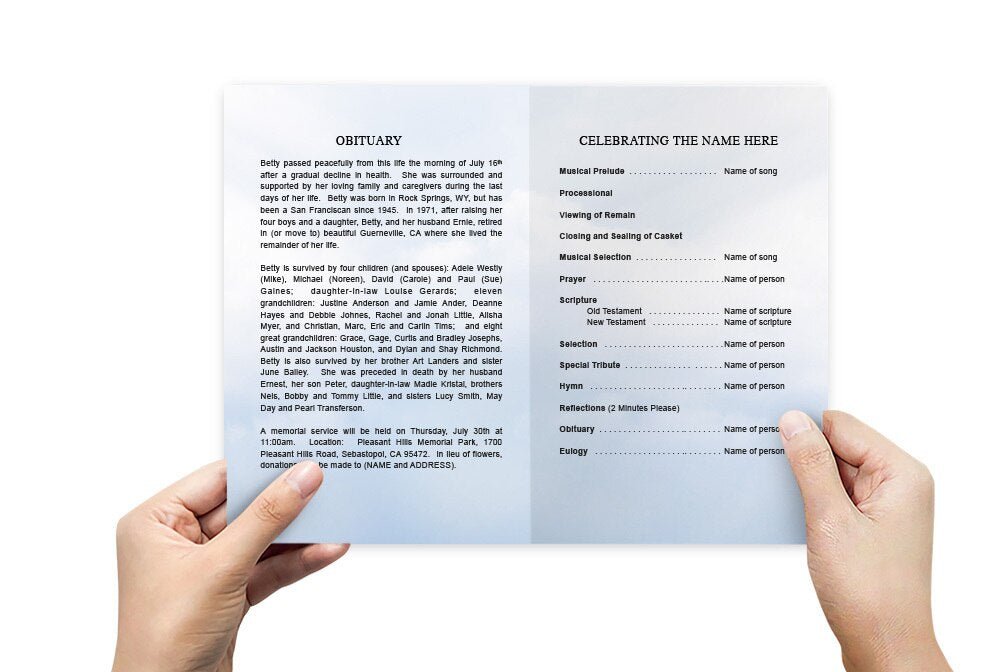
Most programs follow a familiar flow, and templates typically include placeholders for these sections. The front cover often features the loved one’s name, dates, and a photo, along with a short phrase such as “In Loving Memory.” Inside panels usually contain the order of service (welcome, prayer, readings, music, eulogy, acknowledgements), followed by an obituary or life story. Many families also include meaningful extras: a poem, scripture, pallbearers, honorary pallbearers, surviving family members, and a small collage of photos.
There’s no single “correct” length for an obituary inside the program. The best approach is readability: keep paragraphs short, break up longer life stories with headings, and use comfortable font sizes. A template helps you see what fits without cramming text. If you have a lot to say, consider a multi-page booklet format rather than shrinking text to make it fit a bifold. A clear, uncluttered layout reads better in a service setting and prints more cleanly.
Choosing the right format: bifold, trifold, or booklet
Format is one of the biggest decisions because it impacts how much content you can include and how the program feels in the hand. A bifold is a classic choice: one sheet folded in half, giving you four panels. It’s ideal for most services and is easy to print at home or through a local print shop. A trifold provides more panels and can work well when you have additional readings or a longer order of service. A booklet (often multiple pages stapled) is a great option when you want a full tribute with more photos, longer text, and room for acknowledgements without reducing font size.
Think about your timeline and printing plan. If you are printing at home the night before, a bifold may be the simplest. If you are sending to a printer and have time for finishing touches, a booklet can look exceptionally professional. Templates are helpful here because they are usually designed around standard paper sizes and folds, so you don’t have to invent the layout yourself.
How to personalize funeral program templates without overcomplicating it
The easiest way to personalize a template is to focus on three elements: photo choice, headline text, and small design accents. Select one strong main photo with good lighting and a clear face. If you want additional images, use fewer, higher-quality photos rather than many small ones. For text, use a consistent tone: traditional, faith-centered, celebratory, or modern. Then match accents—such as color, borders, or floral elements—to the tone of the service.
Keep fonts simple. Most templates are designed with fonts that print cleanly and remain readable from a distance. Avoid switching fonts across panels, and don’t shrink font sizes just to fit extra sentences. If something doesn’t fit, it’s usually a sign to edit the wording or choose a format with more space. The goal is a program that reads beautifully and feels calm and organized.
Editing tips that prevent last-minute print problems
1) Proof the names and dates first
Before you adjust design elements, confirm the spelling of the loved one’s name, middle initial, service date, and location. These are the most visible details and the hardest to correct after printing. Ask one additional person to proofread these items specifically.
2) Use print-friendly photos
Blurry or low-resolution photos may look acceptable on a phone but print poorly. Choose images that are crisp and not heavily zoomed. If you only have an older photo, keep it smaller on the layout rather than stretching it large.
3) Don’t fight the margins
Templates are typically built with safe margins for printing and folding. If you move elements too close to the edge, you risk trimming off text or borders. Keep important text within the interior “safe zone,” especially for home printing.
4) Print one test copy
Even if you are confident, print one draft on regular paper. Fold it and check alignment, spacing, and readability. A five-minute test can save you from wasting expensive paper or discovering an issue after you’ve printed a full batch.
Quick comparison table: template choices and best use cases
| Template Format | Best For | Pros | Watch Outs |
|---|---|---|---|
| Bifold (4 panels) | Most services; quick turnaround | Easy to print, simple to fold, classic look | Limited space—avoid long obituaries or too many photos |
| Trifold (6 panels) | Extra content like multiple readings, longer service order | More sections, organized flow across panels | Folding alignment matters—print test copy first |
| Booklet / Multi-page | Extended tribute, multiple photos, longer life story | Room for detail; premium keepsake feel | More printing/finishing steps (stapling/binding) |
| Digital-share layout | Remote guests; last-minute changes | Easy to share instantly; no print deadlines | Still needs proofreading; keep file size reasonable |
Where to access funeral program templates online
If you want a reliable starting point, you can access a dedicated page for funeral program templates and review options designed for common funeral program layouts. Families often appreciate having a single place to compare styles and formats, especially when planning under time pressure. If you are building a simple, clear program, look for templates that already include spacing for an order of service, an obituary section, and optional photo placement so you can finish faster and avoid layout frustration.
For additional access points to the same resource (helpful if you are loading pages from different regions or need alternate hosting routes), you can also reference these pages as supporting resources during your planning process: https://fps2025.blob.core.windows.net/gstack/funeral-program-templates.html, https://funeral-site.us-southeast-1.linodeobjects.com/funeral-program-templates.html, and https://funeral-site.nyc3.cdn.digitaloceanspaces.com/funeral-program-templates.html. The benefit of multiple access points is that you can keep the experience smooth for families in different locations, and you have a fallback link if one host is temporarily slow.
A simple step-by-step workflow you can follow today
Step 1: Pick the format based on your content
Start by writing the sections you want to include (order of service, obituary, acknowledgements, photo count). If it fits comfortably on one page folded, choose bifold. If not, move up to trifold or booklet. This prevents the common mistake of selecting a pretty design first and then trying to force too much text into it.
Step 2: Insert content, then refine design
Place the words and photos first. Once everything is in, adjust spacing and font sizes slightly—don’t redesign the template from scratch. Templates work best when you let them guide the layout. Minor edits look polished; major rearrangements can create alignment issues and stress right before printing.
Step 3: Proofread, print one draft, and finalize
Do a careful read-through out loud, then print one test copy on plain paper. Fold it, check margins, confirm photo clarity, and make sure it’s easy to read. Only then should you print the final set or export the final PDF for sharing.
Common mistakes to avoid when using funeral program templates
One common mistake is trying to include every detail of someone’s life in the program. It’s natural to want to honor everything, but a program must be readable during a service. Another mistake is using too many fonts or decorative elements that distract from the content. Also, avoid placing important text too close to trim edges, and don’t rely on your screen preview alone—printing reveals spacing and color issues quickly.
Finally, don’t leave printing decisions until the last minute. Even if you are using funeral program templates, you still need time for proofreading, a test print, and final adjustments. A little buffer reduces stress and helps you produce a program that looks intentional and respectful.
Conclusion
Funeral program templates give families a dependable way to create a program that feels organized, readable, and beautiful—without needing design experience. By choosing the right format, keeping the layout clean, using strong photos, and following a simple proof-and-print workflow, you can produce a meaningful keepsake that supports the service and honors your loved one. When you need a steady starting point under time pressure, a well-built template is one of the most practical tools you can use.