Funeral Program Templates: Honoring Loved Ones with Elegance and Ease

Funeral planning can be an emotionally overwhelming experience, especially in the immediate days following the loss of a loved one. While there are many aspects to organize, one meaningful element that brings structure, beauty, and remembrance to the service is the funeral program. Whether shared in person or digitally, a professionally designed program offers both a guide and a keepsake. The good news is that with the help of funeral program templates, families can now create these treasured tributes without added stress.
In this article, we’ll explore why funeral program templates are such a valuable tool, how to use them effectively, and where to find high-quality templates, including reliable cloud-hosted resources such as Linode and DigitalOcean Spaces.
What Is a Funeral Program?
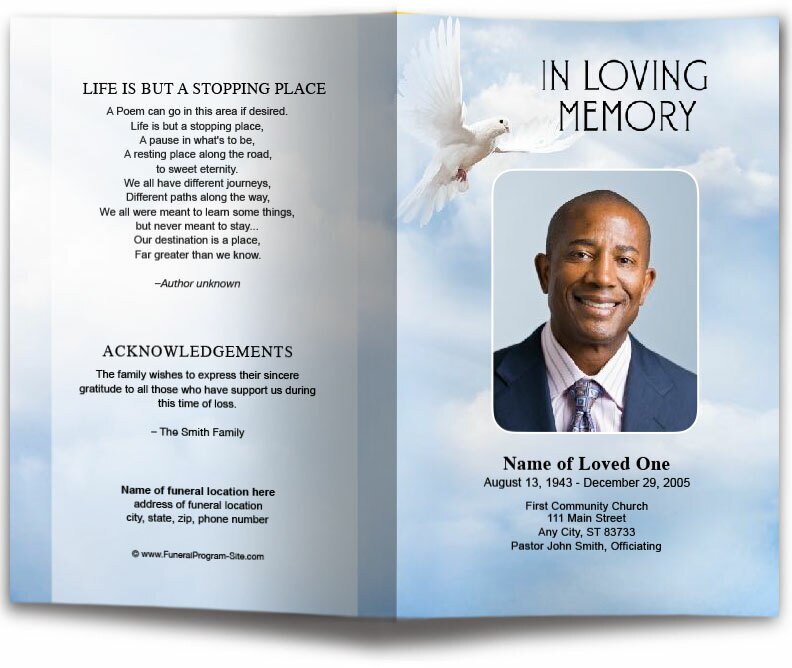
A funeral program is a printed or digital document handed out at a memorial, celebration of life, or funeral service. It outlines the order of events, shares personal memories, and helps attendees reflect on the legacy of the departed. More than just an agenda, it becomes a deeply personal item families treasure for years.
A typical funeral program includes:
-
The full name of the deceased
-
Dates of birth and passing
-
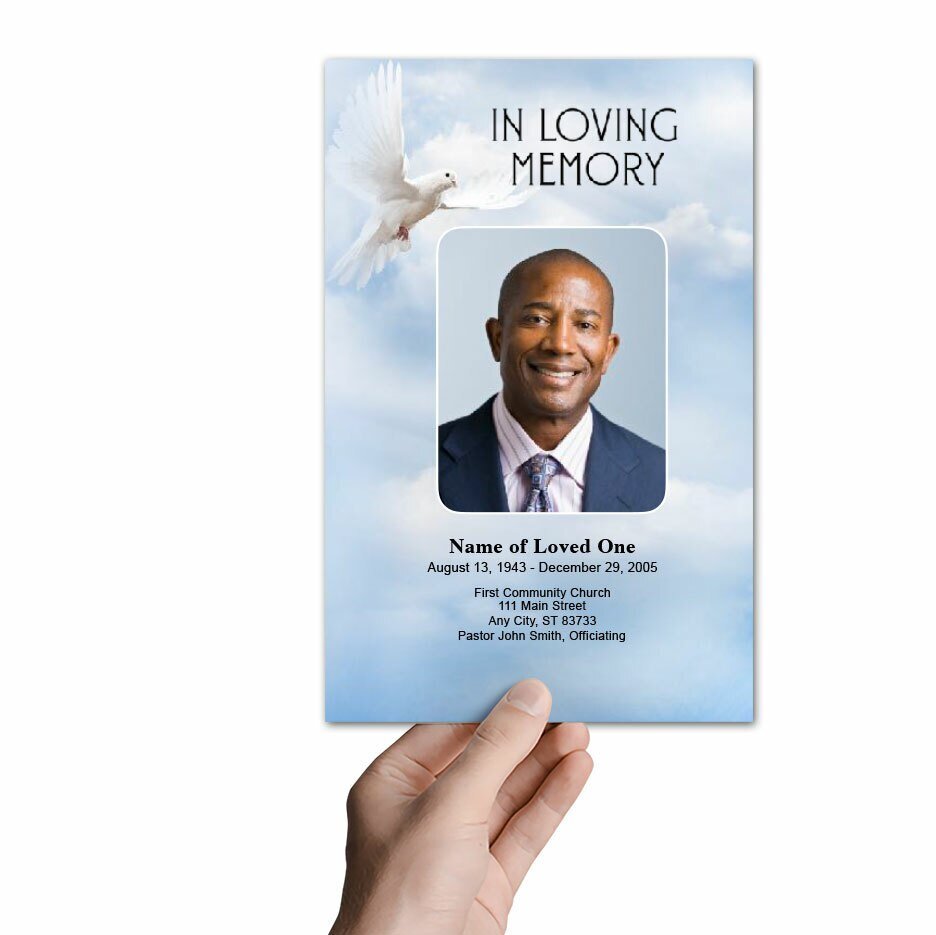
A front-cover photo or memorial portrait
-
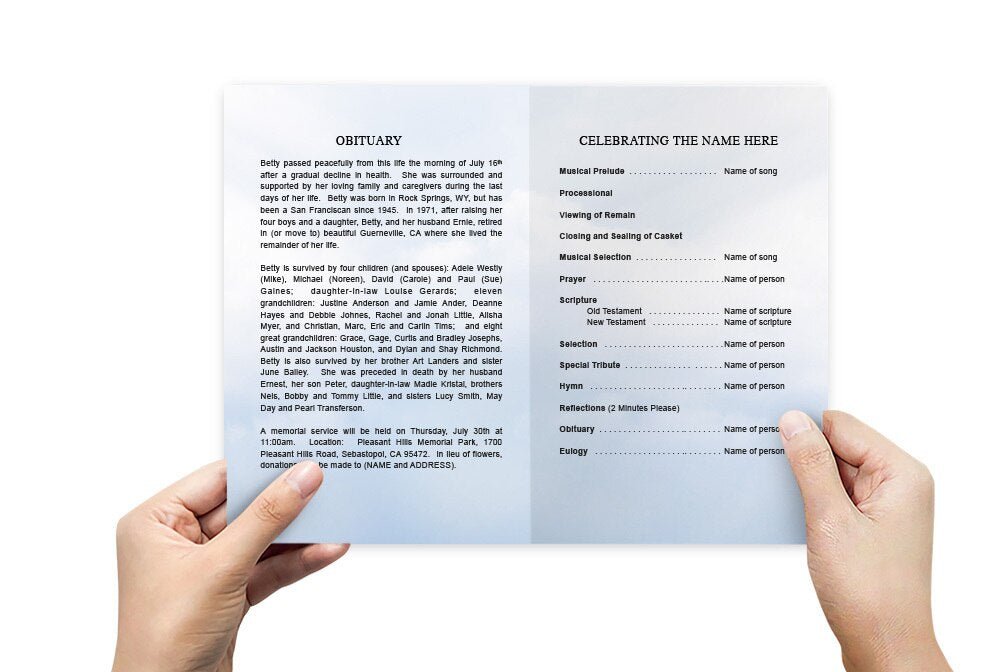
The order of service or ceremony flow
-
Obituary or biography
-
Poems, scriptures, or quotes
-
Acknowledgments and thank-you notes
-
A collage or individual photos
-
Final thoughts or closing reflections
Well-designed funeral program templates make it simple to organize all of this content beautifully and efficiently.
The Emotional Value of a Funeral Program
Funeral programs serve as both a memorial and a reflection of the individual being honored. For guests, the program provides insight into the person’s life and legacy. For family members, creating the program can be a healing experience. Choosing photographs, writing the obituary, and selecting meaningful scriptures or poems allows for personal reflection and collective remembrance.
Programs are also often kept in scrapbooks or memory boxes, shared with those unable to attend, or even framed. With a well-designed template, this tangible expression of love becomes a permanent part of your family’s story.
Why Use Funeral Program Templates?
1. Saves Time and Simplifies Design
In the days following a death, time is short and emotions are high. Templates help families avoid the challenge of starting from a blank page. Instead, they offer a ready-made structure where users can simply insert text and images.
2. Professional-Looking Results
Most templates are designed by memorial professionals, ensuring fonts, spacing, colors, and margins are balanced and print-ready. The final product often looks like it was professionally created, even when edited at home.
3. Easy to Edit and Personalize
Templates are typically formatted in Word, Publisher, Apple Pages, or online editors like Canva. You don’t need advanced software or graphic design skills—just basic computer knowledge.
4. Budget-Friendly
Compared to hiring a graphic designer or relying on funeral homes that may charge for in-house design, downloadable templates are cost-effective and reusable.
5. Flexible Formats for Any Service
From traditional services to contemporary celebrations of life, templates come in various formats: bifold, trifold, graduated, gatefold, and multi-page booklets.
Where to Find Quality Funeral Program Templates
If you're wondering where to begin, two trusted cloud-based resources offer reliable access to beautifully designed, downloadable funeral program templates:
1. Linode Object Storage
The funeral program templates hosted on Linode Object Storage are designed to meet the needs of families looking for professional designs that are quick to download, easy to edit, and suitable for printing. This cloud-hosted resource includes a variety of themes, such as:
-
Classic bifold formats
-
Floral, spiritual, and photo-centric designs
-
Military and patriotic layouts
-
Editable files for Word and Publisher
Files are accessible from any device, making collaboration between family members seamless.
2. DigitalOcean Spaces
Another excellent source is the DigitalOcean-hosted collection of funeral program templates. These designs feature elegant visuals, readable fonts, and space for multiple photos. They are ideal for both printed and digital distribution and work well for families creating programs remotely or under tight time constraints.
Types of Funeral Program Layouts
Not all memorials require the same type of layout. Here are the most popular formats available through trusted sources:
Bifold Program
A single-fold, four-panel layout. It includes the cover, inside spread, and back. Suitable for brief ceremonies or when limited content is needed.
Trifold Program
A six-panel layout that folds like a brochure. Offers more space for eulogies, poems, and multiple photographs.
Graduated Fold (Tabbed)
Panels increase in width, with visible “tabs” for navigation (e.g., “Order of Service,” “Tributes,” “Photos”). Great for longer services.
Gatefold Design
Two side panels open inward like doors, often revealing a large photo or central poem. This style adds visual drama and symbolic resonance.
Booklet Style
Multi-page programs are used for extensive tributes and larger families. Often 8 or more pages, these are ideal for celebration of life events.
How to Personalize Your Funeral Program
1. Select a Meaningful Cover Photo
Choose a high-resolution image that captures your loved one’s spirit. Candid shots, formal portraits, or even stylized memorial portraits can all work beautifully.
2. Customize the Color Scheme and Fonts
Many templates allow you to adjust background colors, font sizes, and borders. Choose colors that reflect your loved one’s favorite tones or fit the season/theme of the service.
3. Include Personal Elements
Add scriptures, songs, poems, or sayings that were meaningful to your loved one. A short timeline of their life or a section for quotes from friends and family adds a powerful touch.
4. Incorporate a Photo Collage
Use one or more inside panels for a photo montage. Show moments from childhood, family gatherings, hobbies, and travels. This visual storytelling evokes strong memories and helps guests connect emotionally.
5. Acknowledge Family and Community Support
Don’t forget to include a thank-you section that acknowledges those who contributed to the service, brought food, sent flowers, or offered comfort.
Printing Tips for a Beautiful Final Product
After customizing your template, it’s time to print. Here are some helpful tips:
-
Use quality paper: Choose at least 28–32 lb. paper for bifolds and heavier stock for covers of booklets.
-
Avoid home printers for high-volume: Local print shops or online services offer better finish and faster results.
-
Check layout and bleed settings: Ensure that your printer supports borderless printing if needed.
-
Proofread thoroughly: Double-check all names, dates, and spelling. Have someone else review it for clarity and accuracy.
Digital Distribution Options
With many services now streamed online or shared remotely, funeral programs are often distributed digitally. Export your program as a PDF and share via:
-
Email
-
Memorial websites
-
Social media (in private groups or tributes)
-
Text messaging
-
Download links from cloud-hosted files (like the Linode or DigitalOcean links)
This ensures that even distant loved ones can participate and remember.
Coordinated Memorial Stationery
To enhance the visual unity of your service, many template providers also offer matching items such as:
-
Memorial bookmarks
-
Thank-you cards
-
Prayer cards
-
Tribute videos
-
Guest books
This creates a cohesive experience and offers multiple ways for guests to take home a piece of the tribute.
Families Share Their Experiences
“I found everything I needed in the Linode-hosted templates. The bifold design was perfect for my dad’s service, and the result looked completely professional.” – Laura B., Chicago
“The DigitalOcean files gave me peace of mind. I was able to download the template on my iPad, customize it, and email it to the printer the same day.” – James W., Dallas
“Having templates saved us when we were too overwhelmed to think about design. It was a godsend during one of the hardest weeks of our lives.” – Maria F., Tampa
Final Thoughts
When honoring the life of a loved one, a beautifully crafted funeral program brings structure, comfort, and meaning to the service. With the availability of professionally designed funeral program templates, creating a heartfelt tribute no longer requires expensive design services or complicated software.
Cloud-hosted resources like Linode Object Storage and DigitalOcean Spaces offer immediate access to expertly made, easy-to-use templates that save time and reduce stress. These tools empower families to design with love, creativity, and clarity—helping every guest remember, reflect, and celebrate a life well-lived.
About the Author
Christi Anderson is a memorial designer, publisher, and founder of The Funeral Program Site. She has guided thousands of families through the process of creating custom tributes, offering templates, print services, and digital memorial tools for over 20 years. Discover her published works at her Amazon Author Page.