How to Create a Funeral Program Template

Creating a funeral program template is an important task that allows you to design a meaningful and personalized guide for the memorial service of a loved one. A funeral program typically includes the order of service, obituary, photos, and special readings or tributes. By making your own template, you have the flexibility to customize every detail, ensuring that the program reflects the unique life and personality of the deceased. This step-by-step guide will walk you through the process of creating a funeral program template, from selecting a format to adding personalized content.
1. Choose the Right Software or Tool
The first step in creating a funeral program template is choosing the right software. Several tools are available, and many of them offer easy-to-use features for designing templates. Here are some options:
- Microsoft Word: A commonly used tool with pre-built templates and easy editing options.
- Google Docs: Offers free templates and the ability to customize layouts in the cloud, accessible anywhere.
- Canva: A graphic design tool with a range of free and paid templates that can be fully customized with images, colors, and text.
- Adobe InDesign: Ideal for more advanced users, offering complete creative control over the design process.
2. Select the Format and Layout
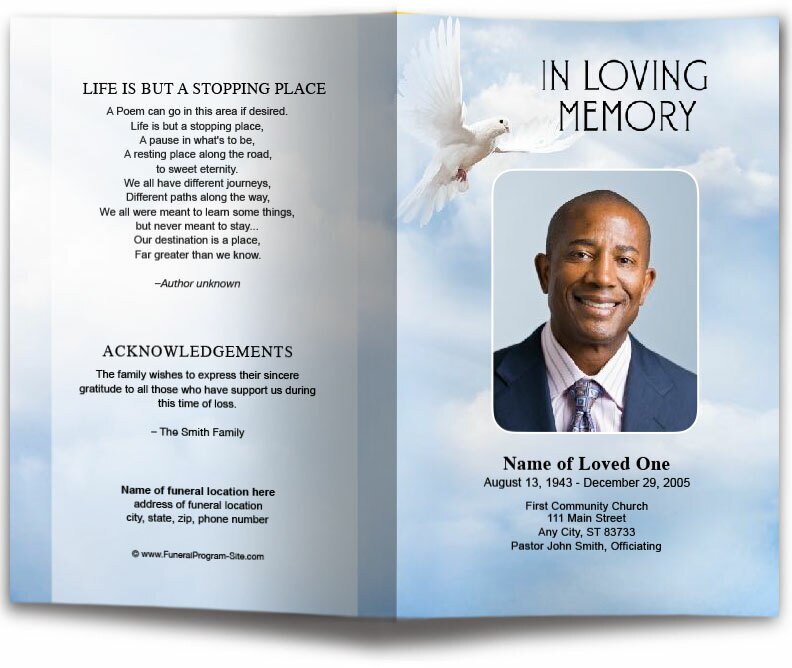
The layout of your funeral program template depends on the type of service and the amount of content you wish to include. Most funeral programs are bifold (folded in half) or trifold (folded into three sections) designs. This allows you to organize the information clearly across multiple pages.
A. Bifold Programs
Bifold programs are the most common format. They are typically printed on 8.5" x 11" paper and folded in half, creating four sections: the front cover, two inside pages, and the back cover.
B. Trifold Programs
Trifold programs have three panels on each side of the paper and provide more space for additional details, such as photos, poems, and quotes. This format is great for services that include multiple readings, tributes, or additional content.
3. Design the Cover Page
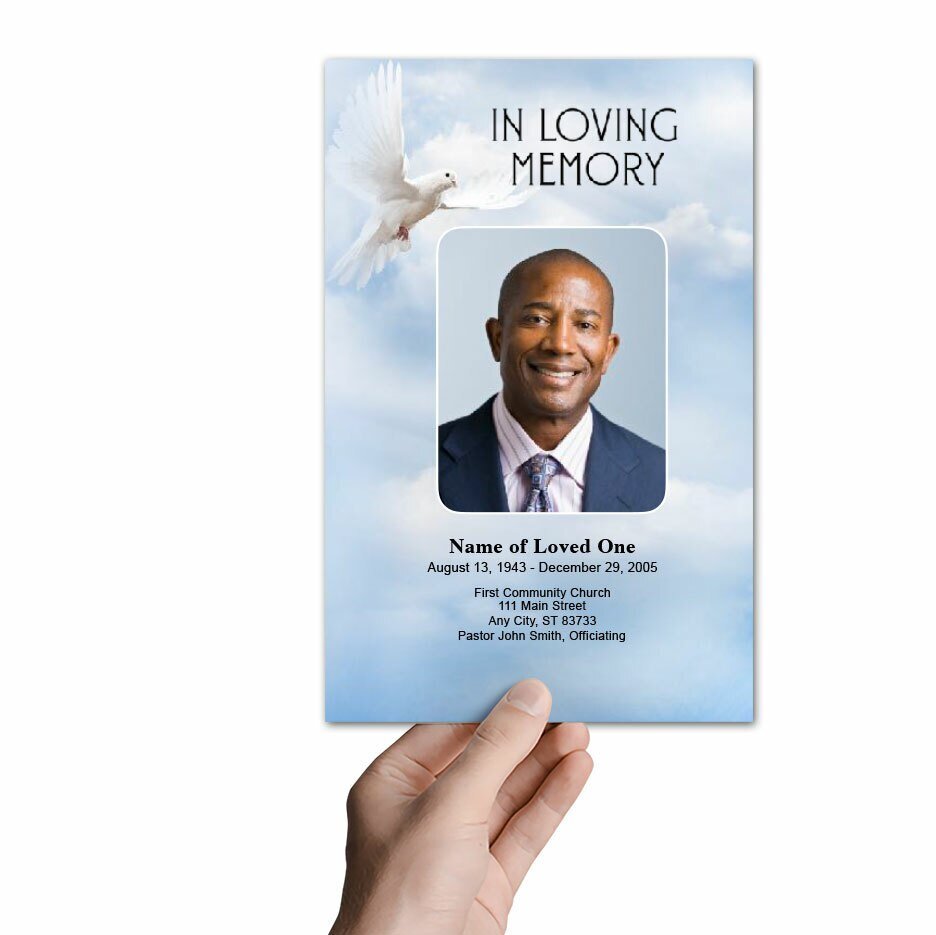
The cover page sets the tone for the entire funeral program. It typically includes the full name of the deceased, their dates of birth and death, and a meaningful photo or quote. The cover design should be simple yet elegant, reflecting the personality and life of the person being honored.
Elements to Include on the Cover:
- Name: The full name of the deceased, prominently displayed.
- Dates: Date of birth and date of passing, typically placed below the name.
- Photo: A clear, high-quality photo of the deceased.
- Quote: A favorite scripture, quote, or phrase that holds meaning for the family.
4. Plan the Inside Pages
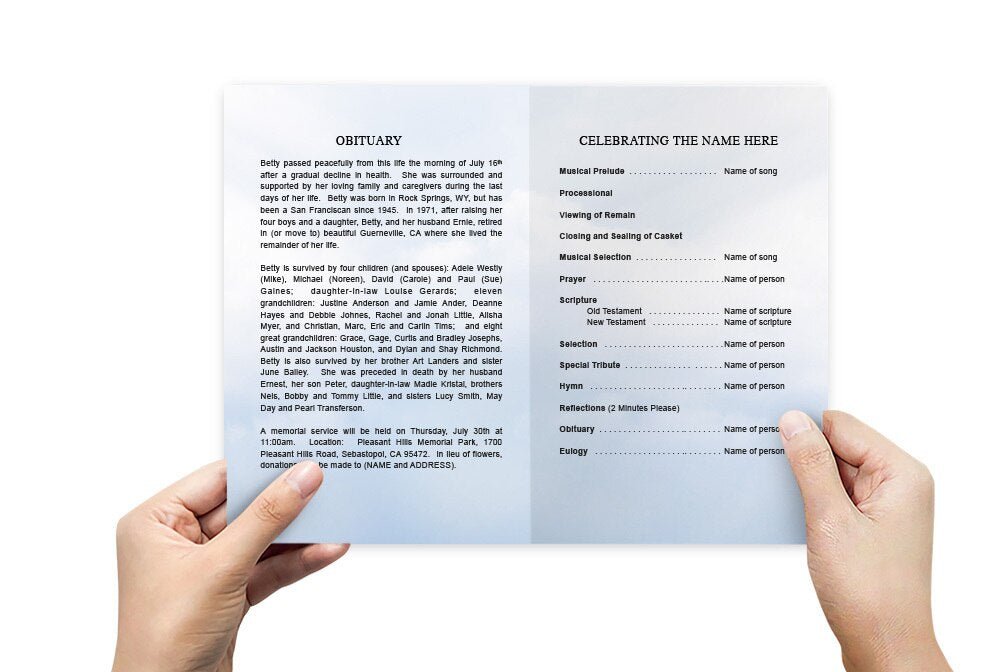
The inside pages of your funeral program should guide attendees through the service, providing important details such as the order of events, readings, and prayers. It’s important to keep the layout clean and easy to follow, with enough space for each element.
A. Order of Service
The order of service provides a structured timeline of the funeral or memorial service, helping attendees follow along. This section usually includes:
- Opening prayer or welcome
- Scripture readings or hymns
- Eulogy or tributes
- Closing prayers or final words
B. Obituary or Life Story
This section provides a brief overview of the life of the deceased. It may include details about their family, career, accomplishments, hobbies, and memorable moments. Be sure to include key milestones that reflect the person’s journey through life.
C. Readings, Poems, or Prayers
If the service includes special readings, poems, or prayers, consider including the text in the program. This allows attendees to read along during the service or reflect on the words later.
5. Include Photos and Personal Tributes
Photos and tributes from family members or close friends can make the funeral program more personal and meaningful. You can include photos from different stages of the deceased’s life, such as childhood, adulthood, and special occasions. Personal tributes may be short notes, memories, or favorite quotes shared by loved ones.
Adding Photos to the Layout
When including photos, make sure they are clear and properly placed within the layout. Avoid overcrowding the program with too many images, and ensure that each photo adds meaning to the program. High-resolution images are best for printing.
6. Finalize and Review the Program
Once you’ve added all the content and photos, it’s important to review the entire program for any errors. Check for spelling mistakes, correct dates, and accurate information. You can also ask a family member or friend to review the program to ensure everything looks correct.
Print a Test Copy
Before printing multiple copies, print a test version to ensure the layout looks as expected. This will help you catch any alignment issues or formatting problems before printing the final copies.
7. Printing the Funeral Program
Once the template is finalized, you can print the funeral programs. You have two main options:
A. Print at Home
If you have a high-quality printer, you can print the programs at home. Use heavier paper, such as cardstock, to ensure the programs are durable and professional-looking. Ensure your printer is set to double-sided printing if needed.
B. Use a Professional Printer
If you prefer a more polished look, consider using a local print shop or an online printing service. Professional printing services often offer high-quality finishes and durable materials, ensuring that the programs are well-made and ready for distribution at the service.
How to Create a Funeral Program Template Conclusion
Creating a funeral program template allows you to design a personalized and meaningful guide for a loved one’s memorial service. By choosing the right layout, adding personal photos, and carefully planning the content, you can create a program that honors the life of the deceased and provides comfort to attendees. Whether you’re printing at home or using a professional service, a well-designed funeral program will be a lasting tribute to your loved one’s memory.
For more on this topic, visit The Funeral Program Site.
© The Funeral Program Site - Funeral Programs, Funeral Program Templates and Cancer Ribbons