How To Customize A Funeral Program Template

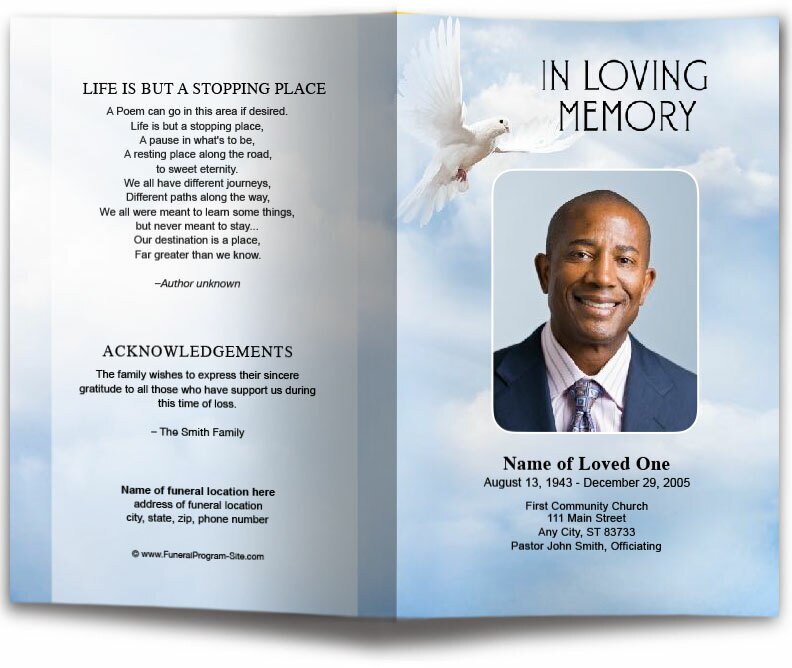
Creating a funeral program is an important step in honoring a loved one's memory. Customizing a funeral program template allows you to add personal touches that reflect the individual’s life, personality, and legacy. Here is a step-by-step guide on how to customize a funeral program template to create a meaningful and heartfelt tribute.
Step 1: Choose the Right Template
Begin by selecting a template that suits the tone of the service. Consider factors such as:
-
Design Style: Traditional, modern, religious, or themed templates.
-
Layout Format: Bifold, trifold, booklet-style, or single-page layouts.
-
Color Scheme: Neutral, soft tones for formal services or vibrant colors for celebrations of life.
Websites like The Funeral Program Site offer a wide range of customizable templates for easy editing.
Step 2: Gather Essential Information
Before customizing the template, collect all the necessary details, including:
-
Full name, birth, and passing dates of the deceased.
-
Service details: date, time, and location.
-
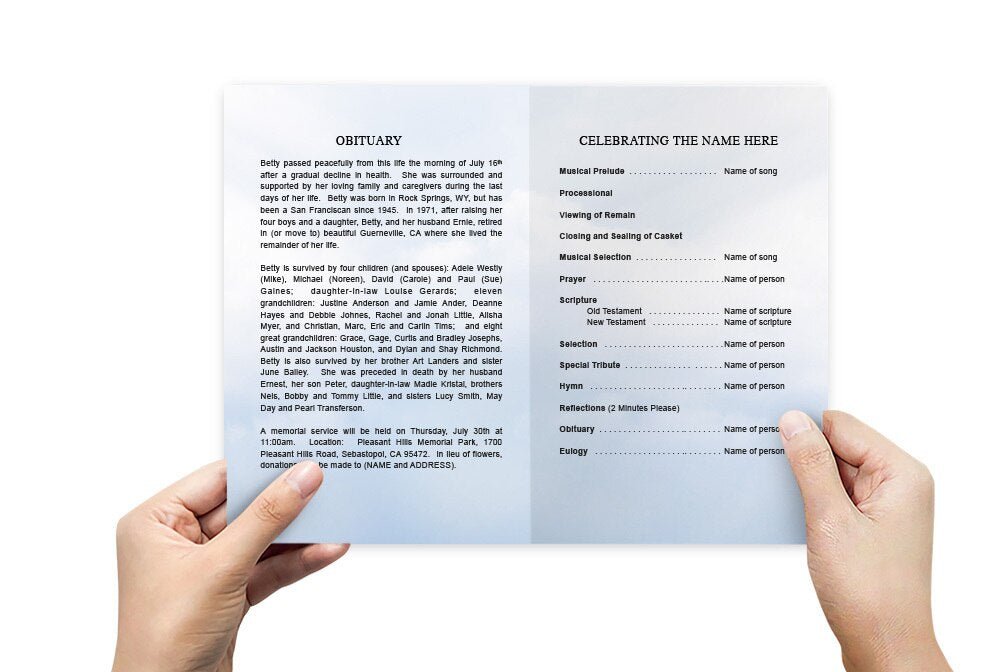
Order of service (prayers, readings, eulogies, etc.).
-
Obituary or life story.
-
Names of family members, speakers, and pallbearers.
-
Favorite quotes, poems, or scriptures.
Having this information ready will make the customization process smoother.
Step 3: Personalize the Content
-
Edit Text Fields: Replace placeholder text with personal details. Ensure accuracy in names, dates, and event details.
-
Add Photos: Insert high-resolution images that capture special moments. Consider a cover photo and additional pictures for collages.
-
Adjust Fonts and Colors: Choose fonts that are easy to read and colors that complement the design. Maintain a consistent style throughout the program.
-
Incorporate Personal Touches: Add meaningful quotes, scriptures, or poems that reflect the loved one’s beliefs and values.
Step 4: Customize the Layout
-
Rearrange Sections: Modify the layout to highlight important sections, such as the order of service or obituary.
-
Insert Decorative Elements: Add borders, icons, or symbols (like doves, crosses, or floral designs) that resonate with the theme.
-
Adjust Spacing and Alignment: Ensure content is well-organized and visually balanced for a professional appearance.
Step 5: Proofread and Review
-
Check for Errors: Carefully proofread the text for spelling, grammar, and factual errors.
-
Seek Feedback: Share the draft with family members to ensure all details are correct and meaningful.
-
Make Final Edits: Incorporate any feedback and make final adjustments to the layout and content.
Step 6: Save and Print
-
Save the File: Export the customized program as a PDF for high-quality printing.
-
Choose Printing Options: Decide whether to print at home or use a professional printing service for a polished finish.
-
Consider Digital Sharing: For virtual services, share the program via email or as a downloadable link.
Tips for a Meaningful Funeral Program
-
Keep the Design Simple: A clean layout with clear fonts enhances readability.
-
Use High-Quality Materials: Choose premium paper for a professional look and feel.
-
Reflect Personal Stories: Add anecdotes or special memories to make the program more personal.
-
Stay Organized: Ensure the order of service is easy to follow, especially for attendees unfamiliar with the proceedings.
Conclusion
Customizing a funeral program template allows you to create a heartfelt tribute that honors your loved one’s life and legacy. By adding personal touches, meaningful photos, and thoughtful messages, you can design a program that provides comfort to family and friends while celebrating the unique journey of the person you cherish. With the right template and attention to detail, your funeral program will serve as a lasting keepsake for all who attend.