How To Edit Funeral Stationery With The Vision Template

Funeral stationery plays a profound role in commemorating and honoring the life of a loved one. From memorial cards to order of service booklets, beautifully designed stationery brings a sense of dignity, personalization, and professionalism to farewell services. One of the most effective ways to create meaningful funeral stationery is by using the Vision Template — a versatile, user-friendly design that allows you to customize every detail with ease.
In this comprehensive guide, we’ll walk you through how to edit funeral stationery using the Vision Template, how to personalize key elements, best practices for printing and formatting, and creative ideas to make your stationery uniquely heartfelt. We’ll also include helpful resources and examples to make your editing process smooth and stress-free.
Introduction to Funeral Stationery and the Vision Template
Funeral stationery encompasses all printed materials used during a funeral, memorial, or celebration of life service. This includes programs, bookmarks, prayer cards, thank-you notes, remembrance cards, and other keepsakes. The Vision Template is a thoughtfully designed foundation that gives you structure while allowing flexibility for personalization.
Whether you are planning a traditional service or a contemporary celebration, the Vision Template empowers you to create meaningful stationery that communicates care, respect, and love. Editing it is simpler than you may think — and this guide will demystify the entire process.
Why Use a Template for Funeral Stationery?
Templates like the Vision Template offer several advantages:
- Time-saving: You don’t have to start from scratch — essential layout elements are already in place.
- Consistency: Ensures a cohesive look across all pieces of stationery.
- Professional design: Built on design best practices that look elegant and respectful.
- Customizable: Makes room for personal touches like poems, photos, and special messages.
Using templates streamlines the creation process, and with the Vision Template, you retain creative control without feeling overwhelmed by design decisions.
Getting Started With the Vision Template
Before you begin editing, it’s important to gather all the materials you’ll need:
- Photos of your loved one (high resolution recommended)
- Biographical information (names, dates, place of birth, etc.)
- Order of service details
- Readings, poems, or scriptures
- Favorite quotes or meaningful messages
Once you have these ready, follow these steps:
1. Open the Vision Template
The Vision Template can be opened in common editing software such as Microsoft Word, Google Docs, or design applications like Adobe InDesign. Choose the platform you are comfortable with.
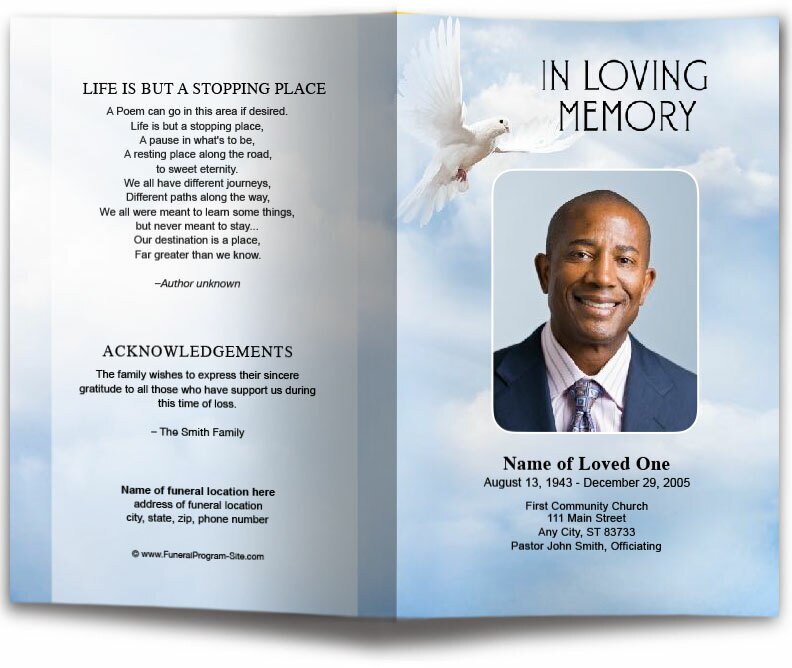
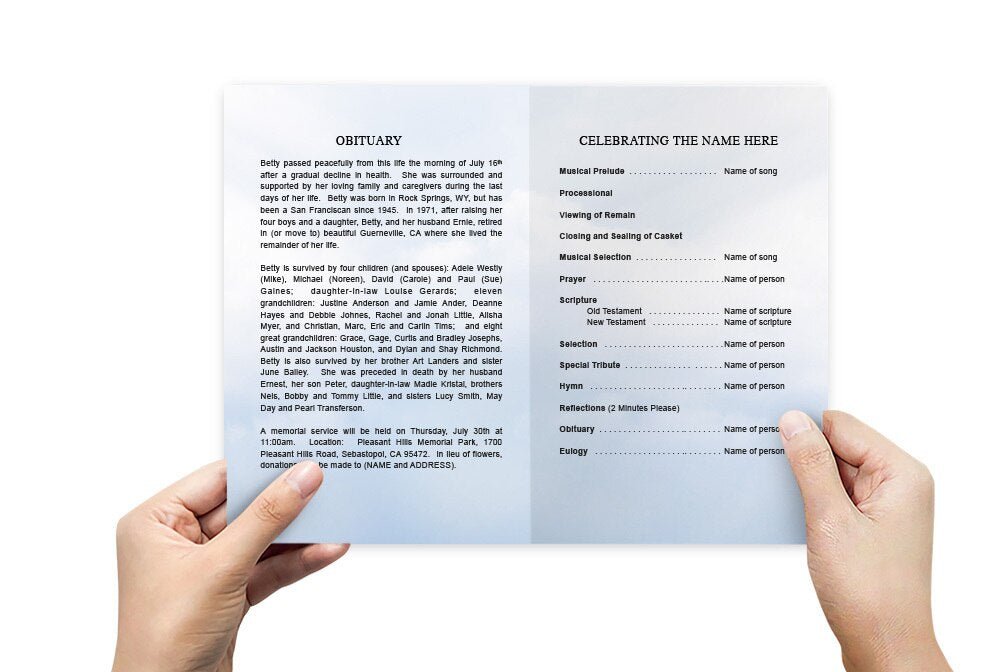
If you’re creating a funeral program, start by opening the multi-page layout in your editor. The template will include sections like cover page, order of service, memorial poem, and acknowledgements.
2. Replace Placeholder Text
Start by clicking into each text field and replacing the placeholder text with your own. For example:
- Replace “Name of Deceased” with the full name
- Enter dates of birth and passing
- Add locations, times, and officiant names
Be sure to proofread carefully. Selecting clear, respectful wording will make your finished stationery a meaningful keepsake.
3. Insert Photos and Graphics
Click on image placeholders to insert photos. Use high-resolution images so that prints look crisp and clear. If you’re creating additional pieces like memory cards or bookmarks, you can also place small illustrations or favorite icons that reflect personality — such as favorite flowers, symbolic artwork, or meaningful motifs.
For example, if you’re focused on creating funeral stationery design, you can place small border graphics that add elegance without overwhelming the content.
Step-by-Step Editing: Program and Page by Page
Edit each section carefully — thoughtful editing ensures a polished and meaningful result. Below is a practical walkthrough of common sections in funeral stationery:
Front Cover
Your front cover is the first thing attendees will see. A well-designed cover sets the tone for the entire program. Include:
- Full name of your loved one
- Photo
- A meaningful phrase, quote, or scripture
Use centered text for a classic look, and choose fonts that are elegant and easy to read.
Order of Service
This section outlines the flow of the ceremony. List each part chronologically, such as:
- Opening prayer
- Musical selection
- Readings
- Eulogy
Ensure each element stands out clearly — attendees appreciate having a roadmap of the service.
Life Tribute Page
This page may contain a short biography or tribute paragraph. Include details like birth city, schooling, career highlights, family members, hobbies, and cherished memories. Personalizing this section with heartfelt wording will make your charity stationery deeply meaningful.
Design Tips for a Beautiful Result
Editing is not just about inserting words and photos — it’s about creating a design that feels meaningful and respectful. Below are key design tips:
| Design Principle | Why It Matters | How to Apply It |
|---|---|---|
| White Space | Prevents clutter | Leave spacing around text and images |
| Font Contrast | Improves readability | Use dark text on a light background |
| Consistent Margins | Keeps layout polished | Apply the same margin throughout |
| High-Resolution Photos | Ensures crisp printing | Use images at 300 dpi or higher |
Font Guidelines
Choose fonts that are respectful and readable. Serif fonts often convey tradition and formality, while simple sans-serif fonts can feel modern and clean. Avoid using too many different fonts — stick to one or two complementary ones.
Color and Mood
Use color thoughtfully. Soft neutrals like light gray, cream, or pastel hues can evoke calmness. If your loved one had a favorite color, consider incorporating it as a subtle accent in borders or headings.
Beyond the Program: Other Funeral Stationery Pieces
While the primary program is often the key focus, you can also use your Vision Template elements to create additional stationery:
Prayer Cards
Small prayer cards make beautiful keepsakes. Include a photo on the front and a meaningful scripture or poem on the back. These can be distributed at services or sent later to family and friends.
Bookmarks
Bookmarks are unique stationery pieces that blend functionality with sentiment. They can include a short prayer and photo.
Thank-You Notes
Include personalized thank-you cards for family or attendees. These can be prepared ahead of time and mailed after the service.
Proofing and Review
After editing, take time to review your work carefully. Consider the following checklist:
- Are all names spelled correctly?
- Are dates accurate?
- Are photos high resolution?
- Does spacing look balanced on each page?
Assemble a test print before ordering a large quantity. Sometimes spacing or alignment issues are easier to spot on paper.
Printing and Materials
Selecting the right paper and printing method will enhance the final result. Consider these materials:
- Matte Cardstock: Offers a soft, classic finish
- Satin or Gloss Cardstock: Brings out photo details
- Recycled Paper: Eco-friendly and elegant
Professional printing services can provide trimming, folding, and quality control for large orders. If you are printing at home, choose premium paper and follow your printer’s best quality settings.
Funeral Stationery and Emotional Resonance
Funeral stationery is more than printed paper — it’s a tangible remembrance. When thoughtfully designed, each piece becomes a comforting keepsake that friends and family can hold onto long after the service has ended. Using the Vision Template allows you to focus more on heartfelt personalization and less on technical design hurdles.
The stationery you create will likely be shared, cherished, and revisited by those who love the person you are honoring. This is why taking the time to thoughtfully edit each detail — from photo placement to poetry selection — matters deeply.
Creative Ideas to Personalize Your Edition
Here are ideas to spark thoughtful personalization beyond the basics:
- Add a timeline of life events
- Include a small section of favorite memories from family members
- Use themed icons (for example, musical notes for a music lover)
- Add subtle patterns that reflect hobbies or passions
- Include a QR code linking to a memorial website or slideshow
These touches ensure that the stationery feels personal rather than generic — a true reflection of a life celebrated.
Final Thoughts
Editing funeral stationery with the Vision Template doesn’t have to be daunting. With the right tools, materials, and thoughtful approach, you can create beautiful stationery that honors your loved one in a deeply meaningful way. From funeral programs to prayer cards and thank-you notes, each piece becomes a tribute filled with homage, memory, and love.
Take your time with the editing process, proof carefully, and don’t hesitate to ask others for a second set of eyes. The end result will be a respectful, elegant stationery collection that supports the service, reflects personality, and brings comfort.
Whether you’re crafting a centerpiece program or supplemental pieces like bookmarks and thank-you cards, use the Vision Template as your foundation — and let your heartfelt personalization make each item unique.