Printable Funeral Program Templates: A Step-by-Step Guide

Funeral programs play an important role in memorial services, providing a keepsake for attendees and offering an organized outline of the ceremony. Printable funeral program templates allow you to create personalized programs at home or through professional printing services. In this guide, we'll explore how to choose, customize, and print these templates for a polished, meaningful result.
Why Use Printable Funeral Program Templates?
Printable funeral program templates offer convenience and flexibility, allowing you to create a professional-looking program without the need for design expertise. Whether you’re working with limited time or resources, these templates are an ideal solution. Here are a few reasons why printable templates are a great option:
- Time-efficient: Templates save time by providing a ready-made structure that only requires customization.
- Cost-effective: Many printable templates are available for free or at a low cost, significantly reducing the expense of creating a funeral program.
- Flexible design options: You can customize everything from the text and images to colors and fonts, ensuring the program reflects the personality of the deceased.
Types of Printable Funeral Program Templates
When selecting a template, it's important to choose one that matches the tone of the service and the amount of information you need to include. Below are some common types of funeral program templates:
Bifold Funeral Program Templates
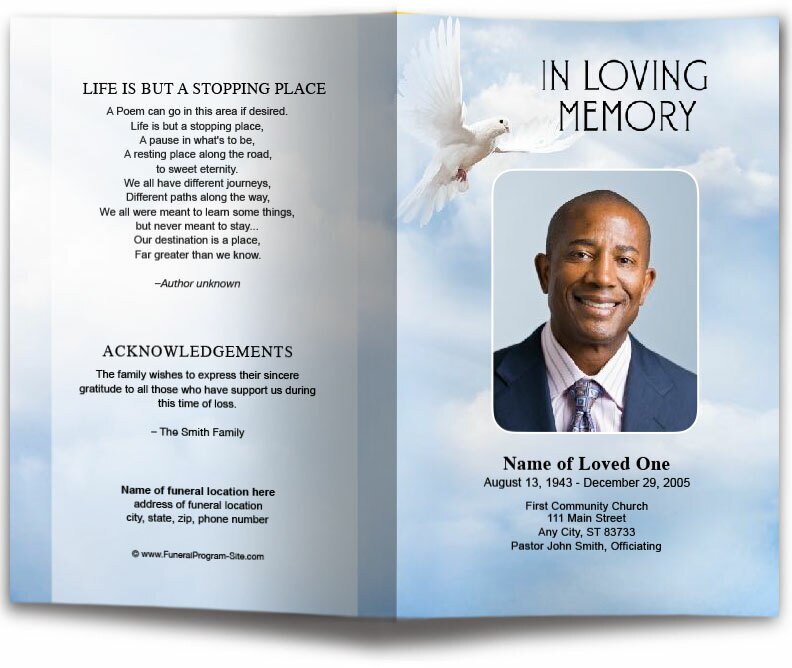
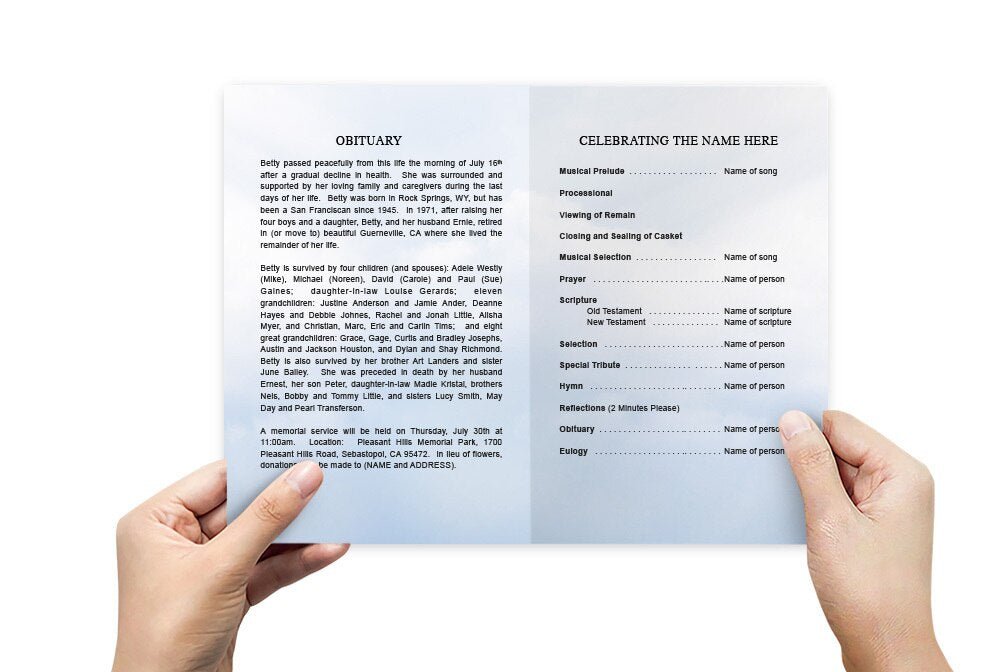
Bifold templates are among the most common and easy-to-use designs. They are folded in half, providing four panels for content—front cover, inside spread, and back cover. This format is ideal for a simple, straightforward program that includes the basic order of service, an obituary, and a photo of the deceased.
Trifold Funeral Program Templates
Trifold templates fold into three panels, offering additional space for longer services or more detailed content. You can include multiple photos, additional tributes, or more extensive service details in this design. Trifold templates are ideal for larger services where more information needs to be conveyed.
Booklet Funeral Program Templates
If you need even more space, booklet-style templates provide multiple pages to include detailed information such as a long obituary, eulogies, personal tributes, and a complete order of service. Booklets are a perfect choice for memorial services that span several hours and include many speakers or elements.
How to Customize a Printable Funeral Program Template
Customizing a printable template allows you to personalize the program so that it reflects the life of the deceased. Here's a step-by-step guide to help you create the perfect program:
Step 1: Choose the Right Template
Select a template that suits the tone of the service. Websites like The Funeral Program Site and TemplateLab offer a wide range of downloadable templates in different styles and formats.
Step 2: Customize the Text
Once you've chosen your template, begin by replacing the placeholder text with personalized information. This includes the deceased's name, birth and death dates, details of the service, and any special tributes or prayers. Be sure to update the order of service to reflect the events of the memorial.
Step 3: Add Photos
Most templates allow you to add one or more photos of the deceased. To add a photo in software like Microsoft Word or Google Docs, simply go to the "Insert" menu, select "Picture," and choose an image from your computer. Adjust the size and positioning to fit within the designated space.
Step 4: Adjust Fonts and Colors
You can further personalize the template by adjusting the fonts and colors. For a traditional service, opt for classic serif fonts and subdued colors. For a celebration of life, you might choose brighter colors and modern fonts to reflect the tone of the event.
Step 5: Proofread and Finalize
Before printing, carefully review the entire program for accuracy. Ensure that names, dates, and details are correct, and that the formatting is consistent throughout the document. Ask a family member or close friend to proofread as well.
Printing Your Funeral Program
Once your template is customized, it’s time to print. You have two main options for printing your funeral programs:
Print at Home
If you have a high-quality printer and the appropriate paper, printing at home can be a convenient and cost-effective option. Be sure to use thicker paper (around 100-120 gsm) to give the program a polished, professional appearance. You may also want to use a folding bone or ruler to ensure clean folds if you are using a bifold or trifold template.
Professional Printing
If you prefer a more polished finish or need a larger quantity of programs, consider using a professional printing service. Local print shops and online services offer quick turnaround times, and many provide same-day printing. Make sure to upload your file in the correct format (usually PDF) and choose paper stock that matches the tone of the service.
Where to Find Printable Funeral Program Templates
There are many websites where you can find free or low-cost printable funeral program templates. Some of the most popular sources include:
- The Funeral Program Site
- TemplateLab
- Canva (for customizable design templates)
Printable Funeral Program Templates Final Thoughts
Printable funeral program templates provide an easy and flexible way to create a beautiful tribute to a loved one. By selecting a design that reflects the tone of the service, personalizing the content, and choosing the right printing option, you can create a meaningful and professional program that will be cherished by attendees for years to come.