Where Can I Get Funeral Program Templates for Google Docs?

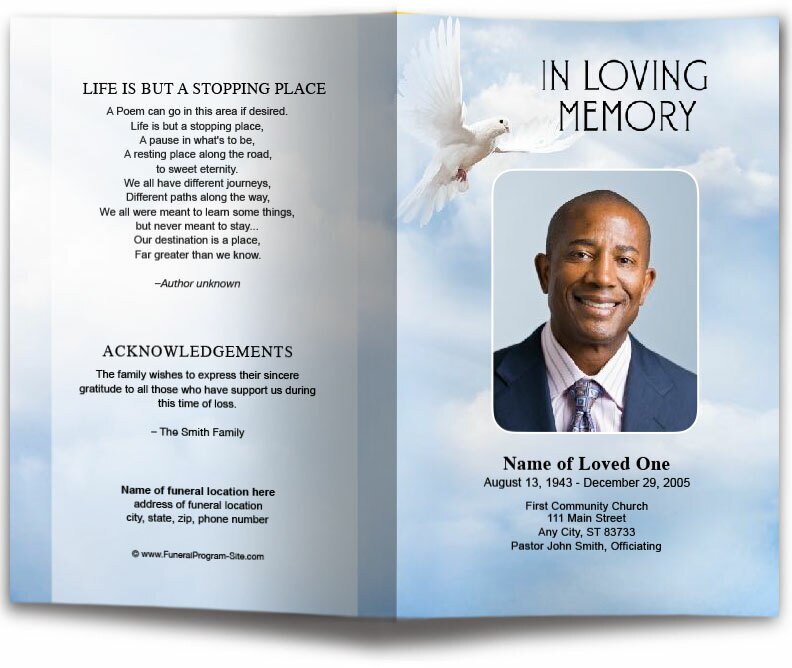
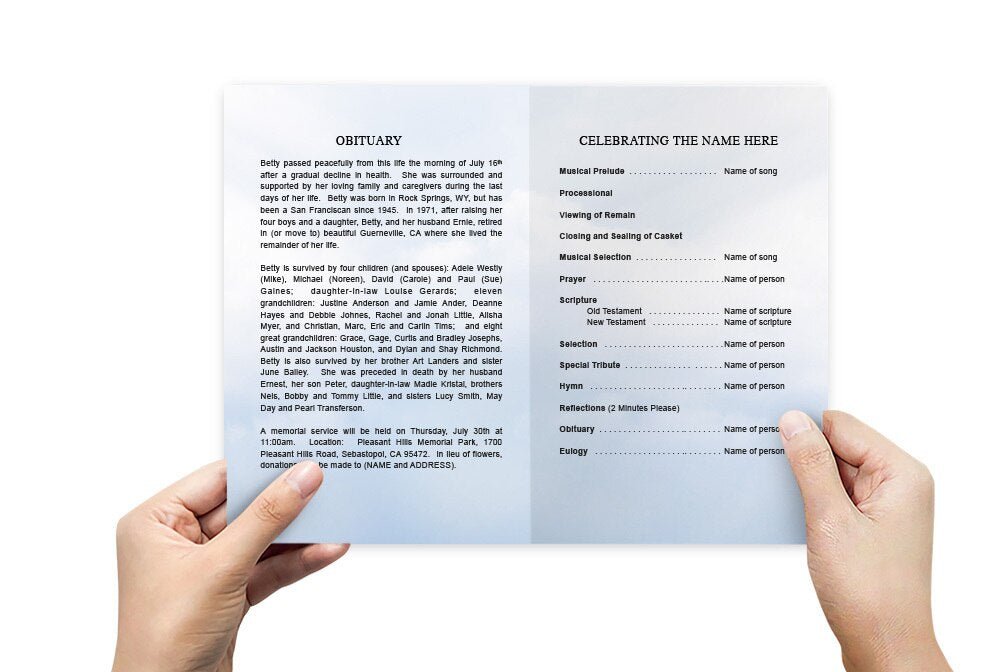
Creating a funeral program is an important part of honoring the memory of a loved one. It serves not only as a guide for the memorial service but also as a cherished keepsake for family and friends. The Funeral Program Site offers a range of customizable Google Docs funeral program templates, making it easy to create beautiful, professional programs with ease and efficiency.
Why Choose Google Docs Funeral Program Templates?
Google Docs funeral program templates provide numerous benefits for those organizing memorial services:
-
Ease of Use: Google Docs is user-friendly, allowing anyone to customize templates without advanced design skills.
-
Accessibility: Since Google Docs is cloud-based, you can access and edit your funeral program from any device with an internet connection.
-
Real-Time Collaboration: Multiple family members can collaborate on the program simultaneously, no matter where they are located.
-
Automatic Saving: Changes are saved automatically, reducing the risk of losing important updates.
Features of The Funeral Program Site's Templates
The Funeral Program Site offers a wide variety of Google Docs templates designed to suit different styles and service types:
-
Professional Designs: Choose from classic, modern, and elegant layouts that reflect the tone of the service.
-
Fully Customizable: Easily adjust text, fonts, colors, and images to personalize your funeral program.
-
Various Formats: Available in bifold, trifold, booklet-style, and single-page layouts to meet diverse needs.
-
High-Quality Graphics: Incorporate beautiful backgrounds, borders, and photo placements for a polished finish.
How to Use Google Docs Funeral Program Templates
-
Select a Template: Visit The Funeral Program Site and choose a template that fits your preferred style.
-
Make a Copy: Open the template in Google Docs and create a copy to start editing.
-
Customize: Add personal details, such as the loved one’s name, photos, order of service, and heartfelt messages.
-
Review and Edit: Collaborate with family members to ensure all details are accurate and meaningful.
-
Download or Print: Once finalized, download the program as a PDF for professional printing or distribute it digitally.
Benefits of Using The Funeral Program Site's Templates
-
Time-Saving: Pre-designed templates simplify the process during emotionally challenging times.
-
Cost-Effective: Affordable options compared to hiring professional designers.
-
Flexible: Suitable for both traditional in-person services and virtual memorials.
-
High-Quality Output: Professional layouts ensure that the final product is elegant and respectful.
Tips for Designing a Meaningful Funeral Program
-
Choose Clear, High-Resolution Photos: Personal photos add warmth and authenticity.
-
Keep It Simple: A clean, organized layout helps guide attendees through the service seamlessly.
-
Include Personal Touches: Add favorite quotes, poems, or memories to make the program more heartfelt.
-
Proofread Carefully: Double-check all names, dates, and details for accuracy.
Conclusion
A funeral program is more than just a guide; it is a tribute to a life well-lived. The Funeral Program Site’s Google Docs templates make it simple to create personalized, meaningful programs that honor your loved one’s memory with grace and dignity. Whether you're planning a traditional service or a modern memorial, these templates offer the perfect blend of convenience, customization, and professionalism.